 Mac Tools
Understand your storage. Choose what to clear.
A native Mac app to explore disk usage, remember your drives, and review selected app files before moving them to Trash. Scans stay on your Mac.
macOS 14.0+ · Apple Silicon & Intel · 3.5 MB DMG
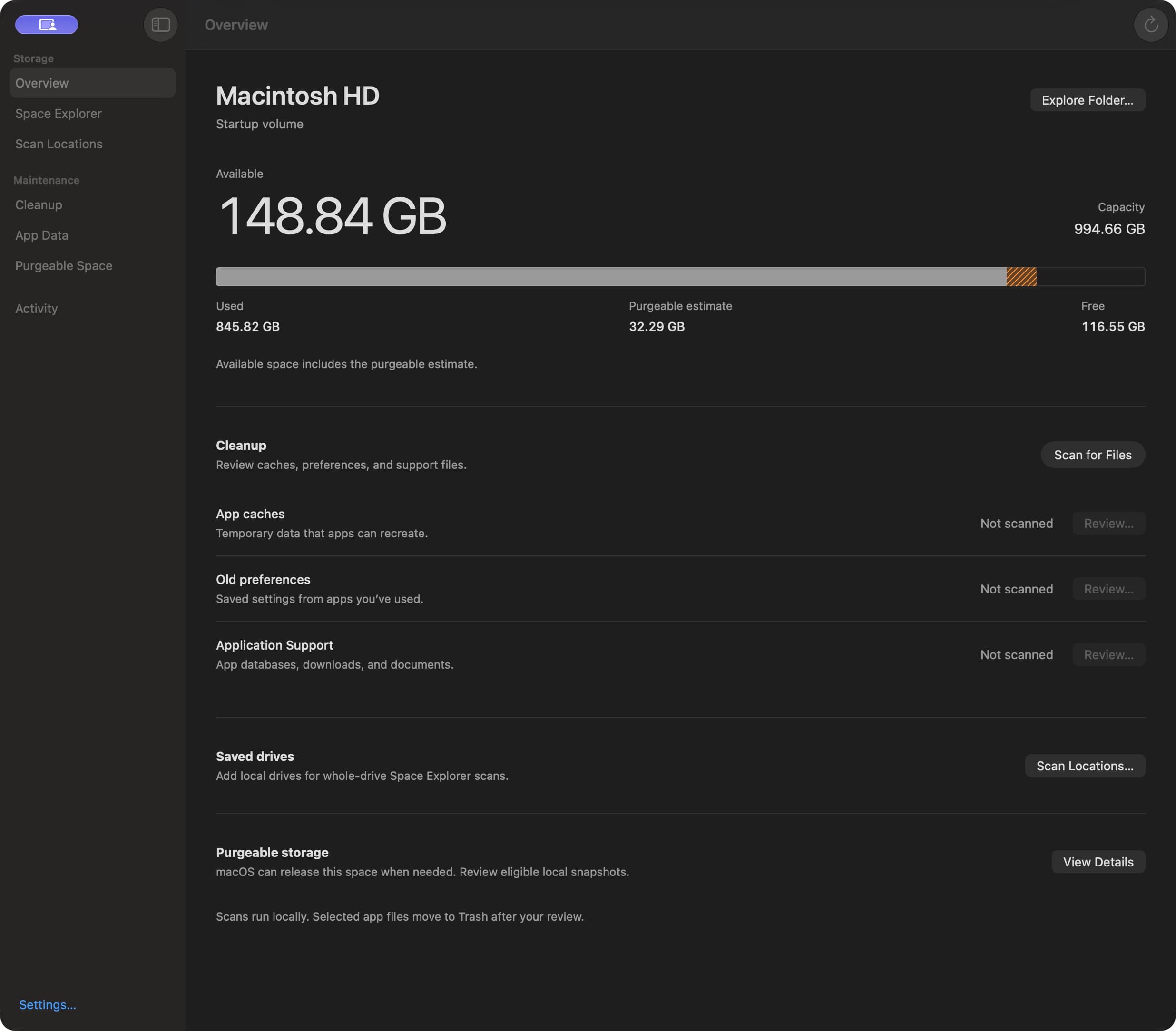
A clearer view of your Mac.
See where your space goes
Watch scan progress and see completed folders as they finish. Explore the interactive map and size-sorted list, drill down, or reveal items in Finder.
Keep your drives in view
Remember local drives, choose which ones to scan, and revisit dated results when a drive is offline. Saved scan indexes can speed up repeat scans.
Review before you clear
Inspect caches, preferences, and Application Support files. Choose individual items and review them before moving eligible files to Trash.
Understand purgeable storage
See the estimated purgeable portion of your startup disk and review local Time Machine snapshots. macOS decides what space it can release.
Up and running in a few steps.
- Download the disk image and double-click it to open.
- Drag Mac Tools onto the Applications shortcut.
- Open Mac Tools from Applications and choose a folder or drive to scan.
The app and disk image are Developer ID signed and notarized by Apple. macOS may ask you to confirm the first launch.
Access stays in your hands.
Some folders require Full Disk Access. If you want to scan them, add Mac Tools in System Settings → Privacy & Security → Full Disk Access, then quit and reopen the app. Inaccessible folders are reported and excluded from cleanup.
Scans run locally. Mac Tools has no analytics, account requirement, or cloud upload of your files.
Make informed cleanup choices.
Old files can still matter. Preferences contain settings, and Application Support can contain saved work, databases, and downloaded content. Mac Tools checks eligible paths again before cleanup and moves selected items to Trash after your review.
Moving files to Trash does not immediately free their space. Finder lets you restore them or empty Trash when you are ready. Disk measurements and purgeable amounts are estimates.
Optional snapshot reclamation requires administrator authentication and permanently removes eligible local restore points. It may release less space than requested; external Time Machine backups are not removed.
Release details & checksum
- Version
- 1.0.1 (build 2)
- Compatibility
- macOS 14.0+ · Apple Silicon and Intel
- Release notes
- Faster Space Explorer scans and a refined app icon. Space Explorer now uses a lighter metadata traversal, shows live item counts and elapsed time, and displays completed folders while the rest of the scan continues. Visible folders are scanned before Library. Stopped scans clearly label partial results and preserve previous complete saved scans. Cleanup retains its full fingerprint checks and separate cache measurements. The new blue-and-mint icon simplifies the storage-map motif and improves small-size legibility.
- SHA-256
6b54105a6ce8a1d3ca56be5a71329ca930d5f826a37474f22c213bc8758cb51f
Need help? Contact DorDev or read the project documentation.